


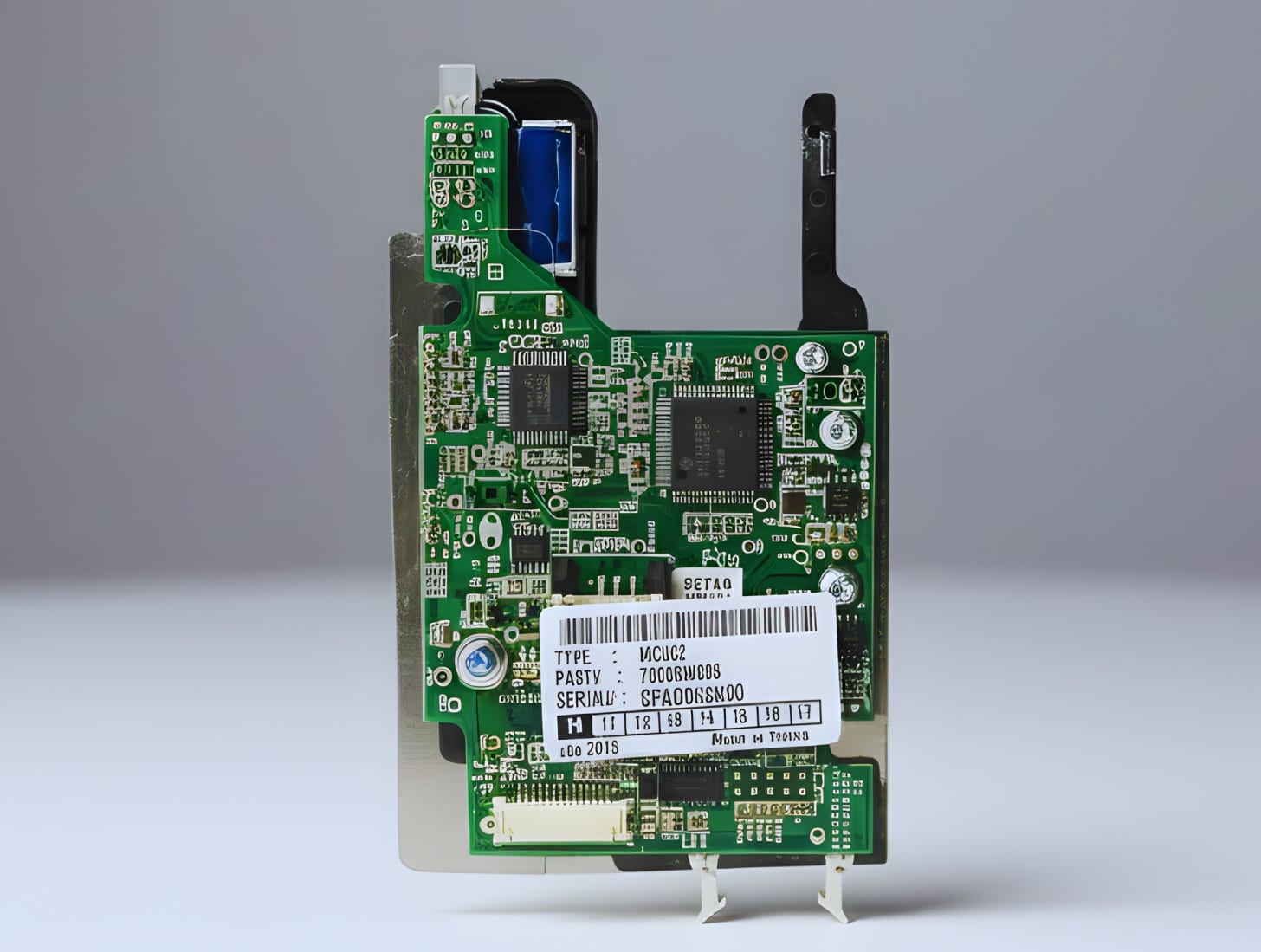
The Europay, Mastercard, and Visa (EMV) worldwide payment security standard uses embedded microchips instead of magnetic stripes to communicate between payment cards and acceptance devices. Fraudsters may easily copy magnetic stripe cards, but EMV cards, sometimes known as “chip cards,” generate a unique cryptographic code for each transaction due to a small integrated circuit.
In recent years, ATMs must incorporate EMV due to increased card-skimming attempts on magnetic stripe readers. At the time of use, chip technology authenticates cards and encrypts transaction data, protecting cardholders and ATM operators against this fraud.
ATM owners and operators must comply with EMV standards for business reasons, not simply technical ones. ATM operators without EMV risk fraud liability and financial loss from networks and card issuers.
Assess, plan, and execute an EMV-compliant ATM solution with this guide, covering hardware, software, certification, and vendor comparisons.
EMV is the global standard for chip-based payment cards and their receiving equipment. To improve payment security and financial system interoperability, Europay, Mastercard, and Visa created the specification. Today, leading payment networks administer the EMV standard through EMVCo, which ensures its evolution and market compatibility.
Data on older magnetic stripe cards is static. They are subject to skimming and cloning, when fraudsters steal card information and generate fake cards. A microprocessor generates a transaction code for EMV chip cards. The encrypted, one-time code makes it tougher for fraudsters to copy transaction card data.
Core EMV benefits include:
EMV is a fraud reduction and compliance requirement for ATM operators, not just a technical change. EMV implementation increases fraud risk and threatens magnetic stripe-only machine network acceptance worldwide.
Major card networks’ EMV liability shift changes who is financially responsible for fraudulent ATM transactions without EMV chip technology. This liability shift occurs through payment network rules and agreements between card issuers, processors, and ATM operators, not by law. If counterfeit fraud happens at an ATM without EMV technology, the non-EMV operator is financially responsible, not the card issuer.
These industry regulation deadlines, not federal legislation, have real financial incentives since network processing relationships depend on them.
You may be liable for losses if your ATM cannot handle EMV chip transactions and a cardholder’s chip card is fraudulent at your machine. The card issuer or processor may receive chargebacks or direct settlements. EMV prevents fraud, thus not using it puts you at risk.
ATMs must have EMV-capable hardware, updated software, and end-to-end certification to comply with major U.S. payment networks (Visa, MasterCard, Discover). These standards are critical for avoiding liability risk and ensuring network processing regardless of machine installation date.
EMV compliance is essential for ATM fraud liability reduction and network acceptance in today’s ATM environment.
To determine if your ATM has an EMV reader, check its model and serial number against the manufacturer’s specifications. You can ask the OEM or ATM service provider if your machine has EMV capabilities and software installed. Many ATM vendors record serial number-specific hardware configurations.
Card input slots are easy to check for support:
Test chip cards or EMV transactions with your processor. ATMs that deny chip insertion or handle cards as magnetic stripe transactions are not EMV-enabled.
Older ATMs may not have mounting space, firmware support, or EMV reader interfaces. In such circumstances, replacing the machine may be easier than upgrading.
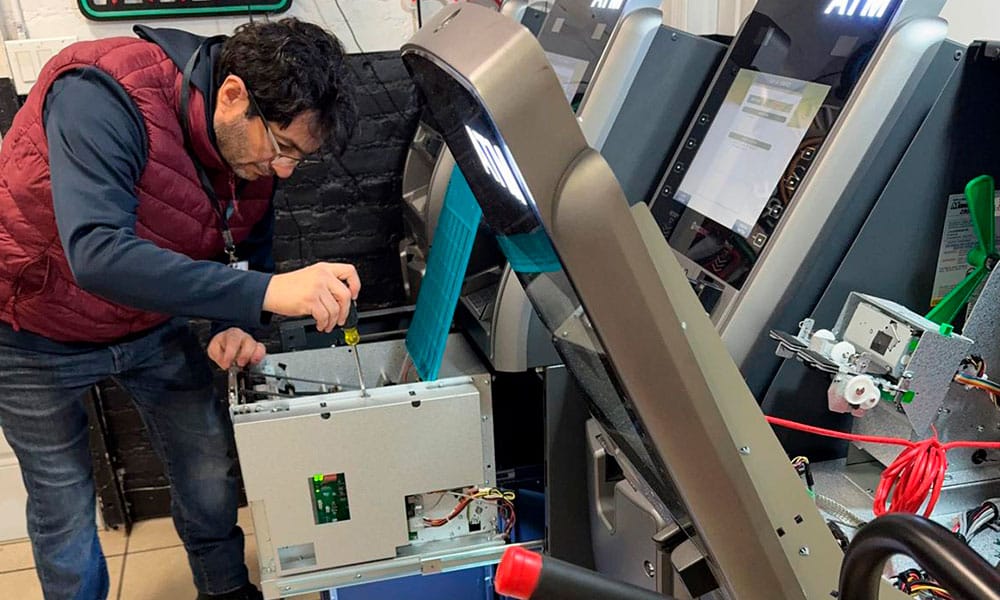
You can either use an EMV upgrade kit to make your old ATM work with EMV chip cards or get a new one that is ready for EMV. Both methods have pros and cons, as well as cost effects that depend on the ATM model and long-term goals.
What’s Included in an Upgrade Kit
EMV upgrade kits typically contain hardware for replacing magnetic stripe readers with chip-compliant readers. A standard kit includes:
This equipment lets the ATM read chip cards instead of magnetic stripe swipe data.
Compatibility & Availability
Popular ATM brands including Genmega, Hyosung, Triton, Hantle, and others have upgrade kits. Certain internet providers offer dozens of ATM series-specific kits and help match your machine to the proper one.
Cost Range
Hardware-only EMV upgrade kits cost $290–$900+, depending on brand and features. Higher-end readers or kits for older computers are available.
Why Choose a Kit
Buying a new EMV-compliant ATM may be better for older or non-upgradable equipment. Fully equipped replacements with EMV readers, updated software, warranties, and security. Though expensive (usually several thousand dollars), this option fixes compatibility issues and extends system life.
| Option | Pros | Cons |
| EMV Upgrade Kit | Lower initial cost, retains existing unit | May be complex to install; not supported on all machines |
| Full Replacement | New technology, longer lifespan | Higher upfront cost |
Replace hardware, prepare software, and test your ATM to take EMV chip cards. This sequence follows best practices and stated methodologies, but model and vendor details may vary.
Like adding card reader hardware, ATM software and firmware must support EMV chip transactions. Even with an EMV-capable reader, the ATM needs software to process EMV transactions.
After software update:
When converting your ATM fleet to EMV, you must know which vendors and manufactures offer EMV upgrade kits and EMV-ready machines. Below is a comparison of OEM and trustworthy third-party ATM compliance and security solutions.
| Vendor Type | Compatibility | Pricing & Support | Installation Help | Warranty/Service |
| OEM Kits (Genmega, Hyosung, Triton) | Excellent (model matched) | Standard manufacturer parts pricing | Dealer network available | OEM parts warranty |
| Third‑Party Providers | Broad model selection | Varies by distributor | Optional installation | Depends on seller |
| Parts Distributors | Wide selection | Competitive | Typically no installation | Limited warranty |
EMV chip card ATM upgrades cost hardware kits, labor, and long-term money. Budget wisely for compliance and ROI, operators.
Practical issues arise while upgrading ATMs for EMV compliance. Operators should anticipate problems and follow explicit troubleshooting processes to reduce delays and ensure chip processing reliability.
Some older ATMs lack the connectors, space, or firmware for latest EMV chip readers. Remodeling can cause poor fit, unsuccessful installs, or hardware problems.
Solution: Check OEM or parts distributor support for your model before buying an upgrade kit. Consider full machine replacement without a kit.
A non-compatible ATM operating software or EMV kernel will prevent an EMV reader from working, even with the right hardware. Transactions often return to magnetic stripe mode.
Solution: Update ATM OS and install processor-certified EMV kernel. Check device settings for EMV reader enablement and software version.
Installing hardware and certifying EMV end-to-end with payment networks can be time-consuming and complicated. Certification requires hardware (Level 1) and software/kernel (Level 2 or Level 3) testing.
Solution: Schedule enough testing time, get test cards and tools from your processor or ISO, and document all setups. Early testing minimizes last-minute issues.
EMV-compliant ATMs are crucial in today’s payment environment to avoid fraud liability and financial loss from unsecure chip-card transactions. Not upgrading can leave your organization liable for counterfeit fraud costs as Mastercard and Visa’s responsibility shift has been in effect for years. Start by checking your ATM fleet for EMV compatibility to verify compliance.
Choose to install EMV upgrade kits on supported machines or replace uneconomical ones. Be sure to implement, setup, and test the EMV solution with your processor and technicians before going live. Acting without any delay will preserve your revenue, decrease fraud, and guarantee your ATMs follow industry standards, keeping you competitive and compliant in the changing payment landscape.




Our shipping plugin is currently not working. Please proceed with your order as normal.
We’ll contact you with the shipping cost after calculating it.